Help
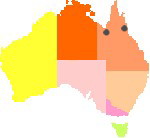
Ozcranes.net is committed to easier web access for everyone interested in Brolgas, Sarus Cranes and crane conservation. All Australian crane habitat is rural, from remote areas to the outskirts of regional towns. To help rural users with limited access, we try to limit large images and links to pdfs state the size of the file. In the Site Map pages with more images are marked (G) for gallery, and may load more slowly on some networks. Ozcranes is a magazine site so there's no specific version for mobile, but it's suitable for iPad or tablet held landscape. For overseas users the Sidebar presents maps with Australian states and locations of key projects covered on the site.

Ozcranes ‘travelling logo’ (top left of screen) takes you to Ozcranes Home from anywhere on the site
Using Ozcranes
Links Links are coloured dark red, with dotted black underlining, and turn white on a black background when you hover. In the top Navigation, Breadcrumb Trail, and Sidebar, the name for the page/section you're on, is green. Visited links are paler.
Pagelinks & Breadcrumb Trail ‘»’ The Trail at the top of each page shows your likely path to a page. ‘Top’ links: long articles have linked headings to sections, with ‘Top’ links every so often to return to top of page.
Internal links Hover to see the name of another Ozcranes page they'll take you to. External Websites: hover to see the title plus ‘External’, they'll take you away from Ozcranes.
Email links All Email addresses have been partly disguised to hinder spammers without, we hope, compromising usability for readers. To use the email links: replace AT with @ and DOT with.
Bookmarking Ozcranes The address for bookmarking Ozcranes is ‘http://ozcranes.net/index.html’.
Download speeds Adequate internet speed is still a problem for many Australians in areas with significant crane habitat, so Ozcranes has mostly print-friendly html pages, not pdfs. Any pdfs we post here or link to elsewhere, state the size of the file. Also, you can choose which images to load. To turn off Images: You can use the options in your browser to turn off images, and browse with text only.
Finding resources on OzcranesThe Site Map has links to every Ozcranes page.
Copyright Please view, print or link to our articles – but don't republish. Copyright is held by the original publisher, author, or artist/photographer. To request republishing, please contact them at the address given with the article or image, or email the Web Manager. Written requests: Australian Crane Network, PO Box 1383, Atherton Qld Australia 4883.
Opinions Articles are included for interest and relevance – they reflect the author's opinion, not necessarily the views of the Australian Crane Network, its network partners, or the Editor. The same applies to answers provided via the Australian Crane Network, to readers' questions.
Privacy If you ask to participate in the Australian Crane Network, you'll receive email updates from time to time. If you contact the Network asking for information, the request will be forwarded to a suitable person within the Network to answer. No details will be given to any third party, unless required by law.
Legal disclaimer Please read our legal disclaimer before acting upon material on this site.
 TOP
TOPViewing Ozcranes the way you want

‘Print-friendly’? All Ozcranes pages are print-friendly, follow the instructions for your device and operating system. We can't style printout headers and footers, they're customised through your settings.
To read with larger (or smaller) text? Ozcranes is written with proportional fonts. To increase text size, use the zoom options in your browser.
Acronyms Love or hate acronyms? On Ozcranes, if an acronym or abbreviation is on a page, there's at least one full title in the text. Double underlined words are acronyms or abbreviations with a hover title.
Feedback
Problems or questions? If you have any questions or suggestions for the site please let us know.